



 Transparency reporting
Global transparency reporting
SpendMate runs your transparency reporting end to end, from the first data feed to the filed report. It is cost-effective, and it scales with you as you expand into new countries.
What's included
- Global frameworks, from Open Payments to Loi Bertrand
- Configurable business rules
- Validation toolkit and remediation workflow
- Customer matching with any MDM
- Automatic pre-disclosure statements
- AI for transparency teams
- Audit-ready reporting
Every country defines reportable spend its own way

Who counts as a reportable recipient, which thresholds apply, and how disclosures must be formatted all vary from one country to the next. SpendMate brings those rules into one configurable platform, so your local and global teams report from the same validated data.
It brings spend from your finance, CRM, event, and third-party systems into one place, then validates, matches, and maps it for U.S. Open Payments, the EFPIA Disclosure Code, MedTech Europe, Loi Bertrand, and emerging LATAM and APAC rules.
Spend starts with the engagements behind it. It can flow in from EngageMate, and findings connect through MonitorMate.
Global frameworks
U.S., European, Latin American, APAC, and Middle East reporting in one platform
Configurable rules
Update mappings, attributes, and rules as regulations evolve, with no development required
Audit-ready reporting
A validation file and a full audit trail behind every report
How a reporting year runs
- 1
Integrate
Source data from finance, CRM, and events
- 2
Standardize
Process, cleanse, and match
- 3
Validate
Run the configured checks
- 4
Remediate
Owners correct errors
- 5
Prepare
Draft each report and tie up totals
- 6
Pre-disclose
Statements to HCPs and HCOs, where required
- 7
Report
File and archive
Bring spend in from every source, then match it to one HCP master
Automatic data matching
SpendMate matches records to authoritative customer data through a partnership with Veeva Open Data, and it works with other reference data vendors too. It can match automatically when an NPI number or local identifier is present.
- Match on NPI numbers and local identifiers
- Merge duplicate customer profiles, or undo a merge
- Keep one clean HCP master behind every report
| Market | Identifier | Result |
|---|---|---|
| US | NPI | Matched |
| France | MDM ID | Matched |
| Spain | Matching name, address, country | Matched |
| Two profiles, one HCP | Same MDM Match | Merge |
Validation and remediation in one governed workflow
Data validation toolkit
SpendMate includes a library of pre-configured validation checks that users can run directly from the interface, catching data issues before they reach your disclosure reports. Checks are configured by country, reporting year, and report type, so each submission reflects that year's specific requirements. As regulations and business needs change, new validation rules can be added to keep your process current.
| Check | Records | Result |
|---|---|---|
| Recipient identifier present | 2,418 | Pass |
| Amount below reporting threshold | 14 | Review |
| Address incomplete | 6 | Assign |
Remediation
When validation flags an issue, SpendMate's remediation workflow assigns each error record to the transaction owner responsible for correcting it. Automated email notifications keep corrections moving, and a full audit trail records every change, so you always know who updated what, and when.
One error record
ExampleFlagged
An address check fails on a consulting payment.
Validation runAssigned
Emailed to its transaction owner.
Data coordinatorCorrected and recorded
The owner fixes it, and the audit trail keeps who changed what, and when.
Transaction owner
Country-specific reports from one global platform
Generate each country's report from the same data: CMS, EFPIA, MedTech Europe, European local law, patient organization, and country reports for Brazil, France, Australia, Mexico, Colombia, and wherever else you have a reporting obligation.
| Region | Reports |
|---|---|
| North America | U.S. Open Payments (CMS) |
| Europe | EFPIA Disclosure Code, MedTech Europe, and local law, including Loi Bertrand |
| LATAM | Brazil, Mexico, and Colombia |
| APAC | Australia, New Zealand, and emerging regulations |
| Middle East | Turkey and Saudi Arabia |
| Every report | Multiple currencies and languages, with a validation file |
Pre-disclosure automation
SpendMate automatically emails personalized pre-disclosure statements to healthcare professionals (HCPs) and healthcare organizations (HCOs), giving each recipient the chance to review their data before it's published. Work that once meant preparing and sending hundreds, or even thousands, of statements by hand now runs automatically.
- One statement for each recipient, built from the prepared report data
- Sent by email, straight from SpendMate
- A record of what went to whom, and when
- PreparedFrom validated report data
- EmailedTo each HCP and HCO
- LoggedRecipient, date, and statement kept
File each report with its validation file and audit trail
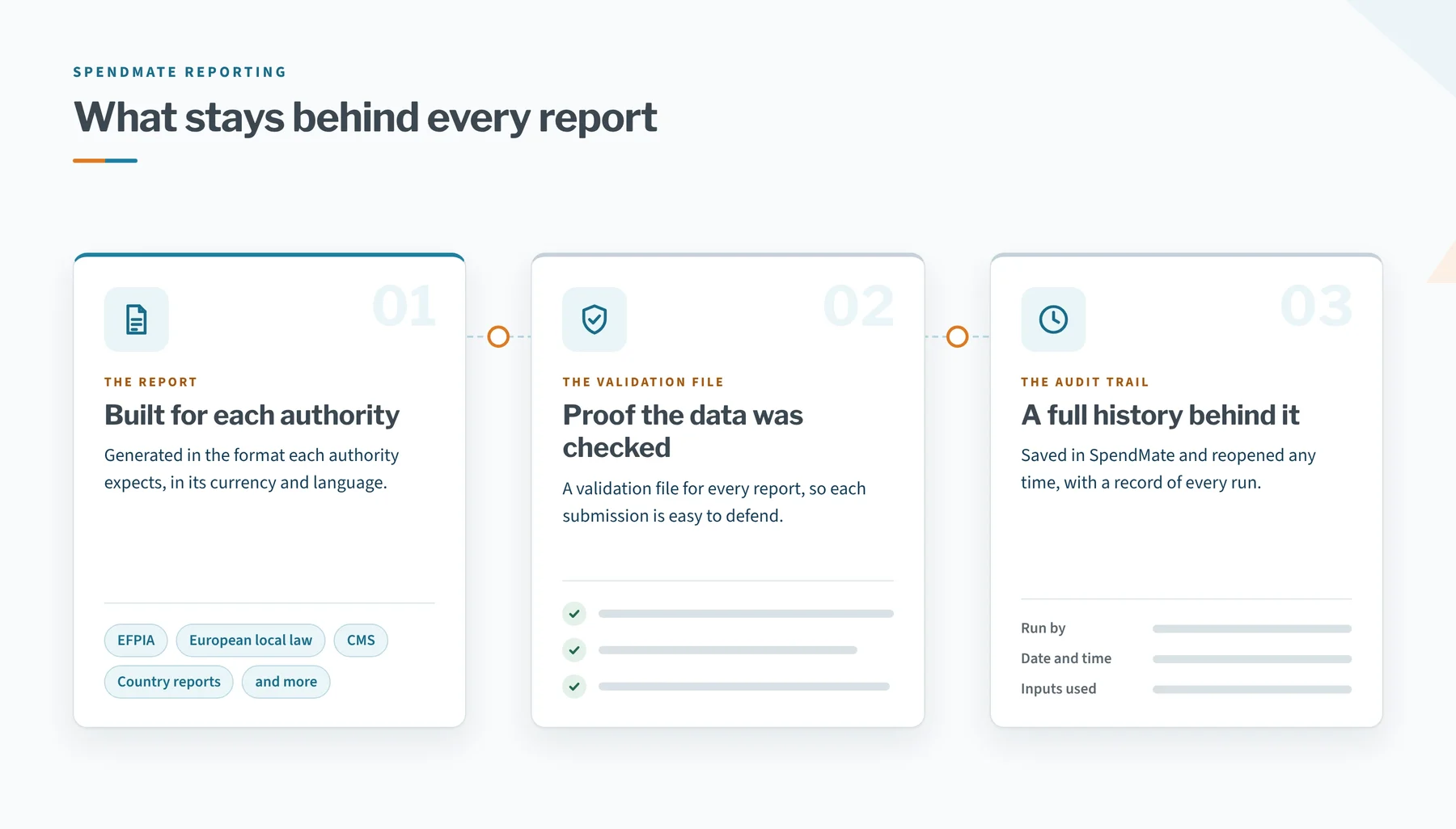
SpendMate generates the report each authority expects, in its currency and language, and keeps a validation file and a full history behind it. A regulator's question is answered from the record.
- EFPIA, European local law, CMS, and country reports
- Multiple currencies and languages
- A validation file for every report
- Generated reports saved and reopened in the application
- An audit trail of who ran each report, when, and with which inputs
AI built around transparency work
SpendMate applies AI across the transparency reporting lifecycle, from preparing source data to reconciling final reports. Each capability is built to cut manual effort while keeping your team in control of the outcome.
Invoice splitting
AI reads contracts and invoices, then splits a single expense into as many line-level expenses as the invoice requires, such as travel, accommodation, or fee-for-service, while preserving the link to the parent expense.
Attribute autofill
Missing customer attributes are filled in automatically, within guardrails your team sets, so every value can be trusted before it reaches a report.
AI-assisted validation
AI runs your validation checks, flags issues, and suggests fixes where possible. Users approve or reject each suggestion, cutting hours of manual review.
Report generation and reconciliation
AI generates your disclosure reports and reconciles them against system data, so you can confirm every figure ties out before submission.
File and report analysis
Ask questions of your data, or upload files such as previously published reports and analyze them through a conversational AI assistant.
Reporting and product Q&A
Get answers on SpendMate functionality and disclosure requirements, drawn from your uploaded user guides and regulatory documents.
6 records in the 2026 Loi Bertrand data have an incomplete address.
Answers come from your data and the documents your team uploads.
Simpler reporting, matched data, and reports you can defend
Customizable forms
Tailor data entry forms and reporting templates to your needs
Roles and permissions
Role-based access for global admins, local country teams, and third-party vendors and CROs, each limited to the data they need
Validation and audit trail
Validation files for every report, and a full history for audit questions
Reporting
EFPIA, European local law, CMS, and country reports, in multiple currencies and languages
Business rule mapping
Define reportable interactions and professional types by country and report type, and add or remove attributes and rules without touching past data
Integration
A steady flow of engagement data, single sign-on, and MDM matching
The Transparency Digest
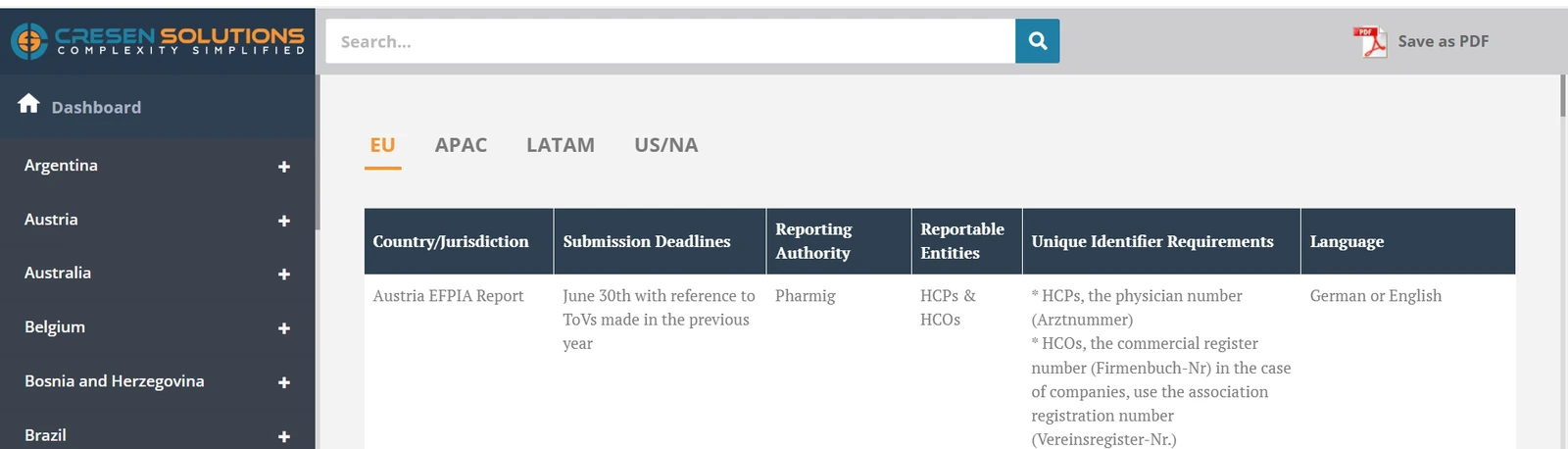
Every quarter, Cresen publishes a report on transparency regulations around the world for its clients. Each country's entry lists what you need to plan a submission.
- Submission deadlines and reporting authorities
- Reportable entities and unique identifier rules
- Language requirements for each country
A top 10 pharmaceutical company took control of its reporting
Its previous reporting solution couldn't keep up with a growing country footprint or the rule changes in its major markets. The company implemented SpendMate's reporting module to get that control back.
What changed for the compliance team
- Business logic the team adjusts without developers
- Validation files that make each report easy to defend to auditors
- One platform for global reporting
- An audit trail that answers a regulator's question in one click
Who SpendMate is built for
- Pharmaceutical teams managing global transparency reporting
- Biotech companies expanding into more markets
- Medtech companies reporting HCP and HCO spend across countries
- Teams replacing spreadsheets or a rigid reporting system

Bring global spend data, validation, disclosure, and reporting into one platform
Tell us where you report today and where you're expanding, and we'll show you how SpendMate handles each market.